

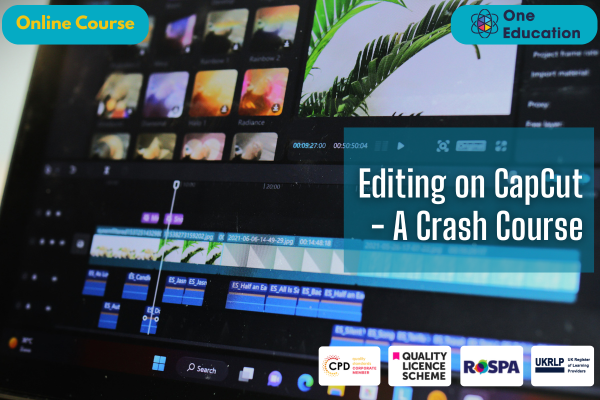
Editing on CapCut - A Crash Course

Course
Online

Description
-
Type
Course
-
Level
Intermediate
-
Methodology
Online
-
Class hours
1h
-
Duration
1 Year
-
Online campus
Yes
Editing on CapCut - A Crash Course is designed to equip learners with the essential skills to create professional-quality videos using the popular CapCut app. This comprehensive course covers all key features, from basic video trimming and transitions to adding effects, text overlays, and music. Learners will gain practical knowledge in editing short-form videos, social media content, and promotional clips, enhancing both creativity and technical confidence.
Through easy-to-follow modules, students will master the CapCut interface, learn how to optimise videos for various platforms, and develop a workflow that saves time while improving output quality. Whether you are a content creator, marketer, student, or small business owner, this course empowers you to produce visually engaging videos that stand out online.
By the end of this course, learners will not only understand the mechanics of video editing on CapCut but also gain valuable skills that enhance employability and portfolio projects. Ideal for anyone looking to kickstart or expand their digital media capabilities, this course provides a structured, self-paced approach to video editing success.
Important information
Price for Emagister users:
About this course
Navigate and utilise the CapCut interface efficiently
Trim, split, and merge video clips with precision
Apply filters, transitions, and visual effects creatively
Add text, captions, and subtitles for engaging content
Incorporate music and audio effects to enhance storytelling
Export videos optimised for social media platforms
Build a portfolio of polished, professional videos
This course is ideal for beginners and intermediate users who want to develop practical video editing skills using CapCut. It suits content creators, social media managers, marketers, students, and small business owners looking to produce professional-quality videos without complex software.
Learners seeking to enhance their digital skills for career progression or personal projects will find this course accessible and rewarding. It is also perfect for those exploring freelance opportunities or aiming to strengthen their CV with demonstrable video editing competencies. The course structure supports self-paced learning, ensuring accessibility for anyone eager to improve their video creation and editing abilities.
No formal entry requirements are necessary to enrol in this course. It is suitable for learners aged 16 and above. While the course is designed for beginners, good English, numeracy, and basic IT skills are recommended to fully benefit from the modules. Learners should have access to a device capable of running CapCut and an internet connection for online study. This ensures a smooth learning experience and the ability to practice skills effectively.
Upon successful completion of the Editing on CapCut - A Crash Course, you will qualify for a UK and internationally recognised professional certification. You may also choose to formalise your achievement by obtaining your PDF Certificate for £9 or a Hardcopy Certificate for £15.
This course stands out for its flexibility and self-paced learning format, allowing learners to study at their own convenience. Expert-designed modules focus on practical, career-oriented skills that can be immediately applied to content creation projects.
By completing this course, learners gain a recognised skill set that enhances employability and strengthens CVs. The content is structured to provide clear, actionable knowledge, enabling students to confidently create professional videos on CapCut. Whether for personal development or career growth, this course delivers valuable, future-proof skills in digital media.
Yes. Editing on CapCut - A Crash Course is designed for beginners and those with minimal prior experience in video editing. The course uses a step-by-step approach to teach CapCut’s core features, ensuring learners build confidence while mastering essential skills. Modules are clear, concise, and structured to support learners of all levels.
Learning video editing on CapCut can enhance your employability in digital marketing, social media management, content creation, and freelance opportunities. The skills acquired allow you to produce professional-quality videos, strengthen your CV, and showcase creative abilities that are increasingly in demand across industries.
The course is fully online and self-paced, allowing learners to access modules anytime and study according to their schedule. Lessons combine theory and practical exercises, enabling you to apply skills directly in CapCut. All course materials are available through a user-friendly online platform for a seamless learning experience.
Reviews
This centre's achievements
All courses are up to date
The average rating is higher than 3.7
More than 50 reviews in the last 12 months
This centre has featured on Emagister for 8 years
Subjects
- Video Editing
- Media
- CapCut
- Videos
- Video Camera
Teachers and trainers (1)

One Education
Course Provider
Course programme
Editing on CapCut – A Crash Course introduces beginners to video editing using the CapCut app, covering essential tools, transitions, effects, text overlays, and audio syncing. It teaches practical techniques to create engaging, polished videos quickly, making the editing process intuitive and accessible for social media, personal projects, or content creation.
Course Curriculum
- Editing on CapCut - A Crash Course
- Lesson 01: Introduction
- Lesson 02: Layout of the Software
- Lesson 03: Cutting and Adding Overlays
- Lesson 04: Key Framing
- Lesson 05: Creating (Auto) Captions
- Lesson 06: Adding Music – SFX
- Lesson 07: Exporting Video
- Lesson 08: Advanced Editing
- Lesson 09: Final Words
Editing on CapCut - A Crash Course